
A water damage assessment guide explains how to identify and evaluate water intrusion or exposure, whether the affected item is a house, a basement, or an electronic device such as a phone, tablet, laptop, smartwatch, or game console. The assessment aims to locate the source of moisture, measure the scope of damage, estimate health or safety risks, and determine salvageability and next steps. Acting early after you discover water reduces the chance of permanent loss, hidden corrosion in electronics, and mould or structural deterioration in buildings.
What a water damage assessment is and why it matters
At its core, a water damage assessment is a fact-finding process. For buildings the assessor looks for points of entry, damp materials, visible mould, and signs such as efflorescence on masonry that show long-term moisture intrusion, then recommends remediation and drying plans. For household electronics the assessment focuses on ingress points, corrosion on connectors and circuit boards, and whether components can be cleaned or need replacement. Canada’s conservation guidance recommends starting with a risk assessment that traces the source and identifies visible indicators of moisture and deterioration to set priorities for action and recovery water.html.
Why this matters now, not later: water works silently. Slow leaks or condensation can cause damage that is far greater two weeks later than on day one. For electronic devices, corrosion and short circuits spread quickly after exposure. For homes, trapped moisture can feed mould growth and structural decay that increase repair costs and insurance complications. Desjardins notes that timely action and documentation improve outcomes when dealing with water-related insurance claims in Canada Desjardins.
How assessments differ for buildings versus electronic devices
Assessments share the same goal, but the methods and outcomes differ.
- Building assessments check walls, floors, ceilings, insulation, and foundations for moisture, test relative humidity and surface moisture, identify sources such as plumbing failures or groundwater, and evaluate mould and structural risk. The result is a remediation plan and cost estimate from a restoration contractor or inspector, and a clear record for insurers. Ontario inspection guidance recommends careful reporting and getting multiple quotes when moisture is found Inspectionly.
- Electronic device assessments inspect ports, connectors, battery compartments, and internal boards for moisture, residue, and corrosion. Technicians test power delivery, shorting, and component function using controlled bench diagnostics. The outcome is typically either successful cleaning and component replacement or a recommendation to replace the device, along with a data‑recovery assessment.
Tools differ too. Building inspectors use moisture meters, thermal imaging, and hygrometers. Device technicians use microscopes, contact cleaners, and diagnostic benches. The stakes are also different: buildings involve health and safety and may trigger insurance and remediation scopes, while electronics focus on data preservation and component health.
Immediate steps for water-exposed phones, tablets, laptops, smartwatches and consoles
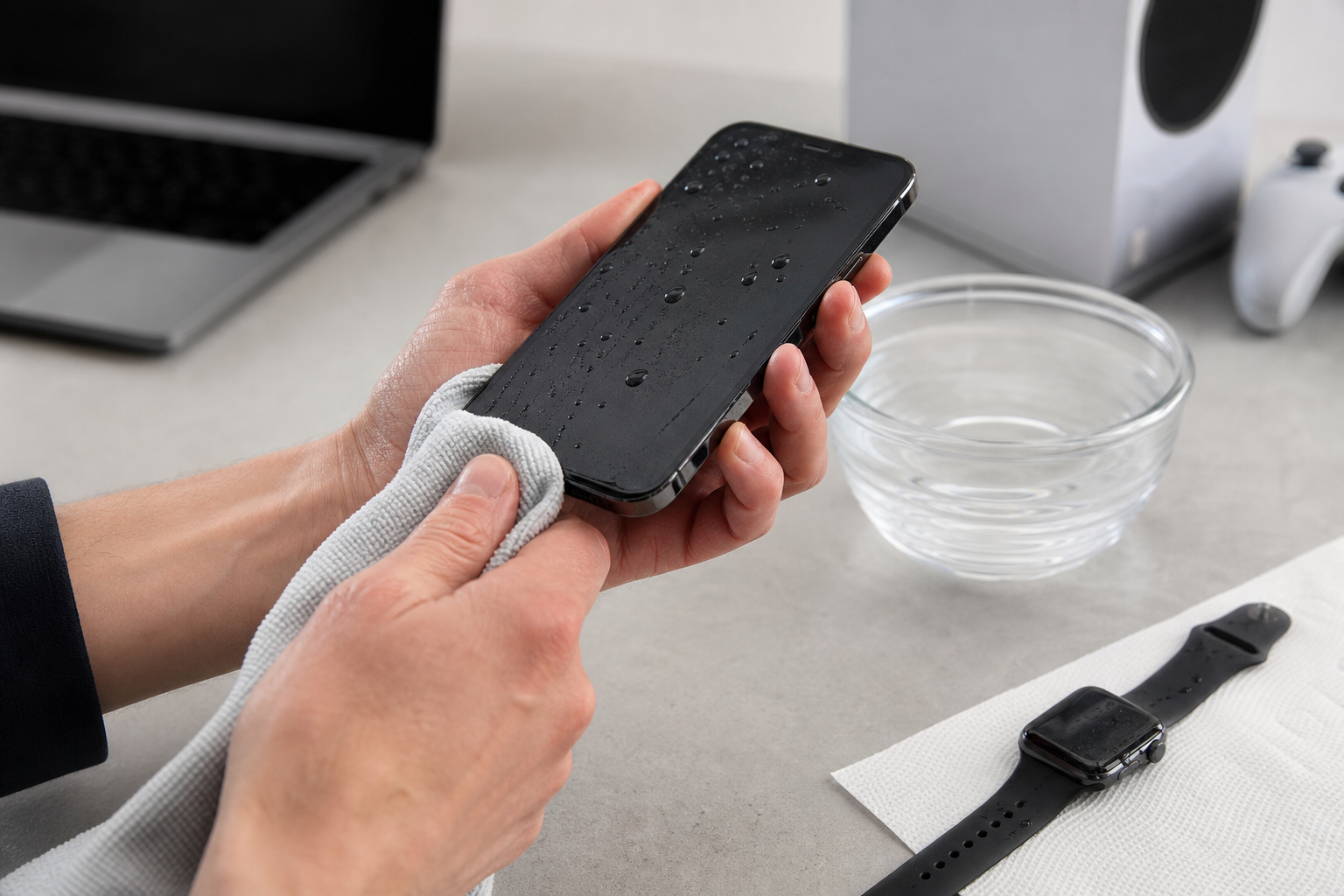
When a device gets wet, quick choices matter. The short do/don’t checklist below preserves salvage options and reduces data loss risk. After following these steps, bring the device to a qualified repair shop for a full water damage assessment and device diagnostics.
Do this first
- Power off the device immediately, and keep it off. Turning it on risks short circuits.
- Remove cases, SIM cards, SD cards, and external accessories to allow air flow and protect removable media.
- Wipe visible water away with a clean, lint‑free cloth; avoid vigorous shaking or tapping that can spread liquid inside.
- Place the device in open air in a dry, cool location. Do not use household heat sources such as ovens or hair dryers on hot settings.
- Photograph the device and serial numbers now for insurance and documentation.
Do not do
- Do not charge or connect the device while it is wet.
- Do not attempt to open delicate electronics unless you are trained to do so; improper disassembly can cause permanent damage.
- Do not assume rice or similar at‑home fixes will fully remove corrosion; these measures may dry the surface but do not replace professional cleaning and inspection.
Device checklist details
- Phone or tablet: Remove SIM and power off, photograph water entry points, and bring to a repair shop for port cleaning and board inspection. Quick professional cleaning can often prevent later corrosion.
- Laptop: Power down, unplug, remove battery if removable, and do not attempt to boot. Laptops can trap water around the keyboard and logic board, so a bench inspection is needed to assess keyboard, trackpad, and board damage.
- Smartwatch: Power off and dry exterior; internal seals vary by model. A trained technician can test seals and internal moisture indicators and recommend repair or replacement.
- Game console: Unplug immediately, photograph ports, and avoid powering on. Consoles may appear to work initially then fail as corrosion advances.
Bring devices to a professional for complete diagnostics rather than relying on at‑home fixes. PhonoRx performs device diagnostics across smartphones, tablets, laptops, smartwatches, and game consoles and offers online booking for assessments PhonoRx.
When to call a repair shop versus a restoration specialist
Deciding who to call depends on what was affected and the scale of damage. Call a device repair shop when the damage is to individual electronics and you need diagnostics, data recovery, or component repair. Call a restoration specialist or building inspector when the incident affects floors, walls, ceilings, or entire rooms, when there are electrical hazards at the property level, or when mould and structural moisture are present.
If the water issue comes from a plumbing failure, flood, or widespread leak that has soaked building materials, hire a qualified restoration contractor to assess and remediate the structure, then document their findings for insurance. Inspectionly advises getting accurate remediation quotes and reading inspection reports carefully to decide whether to proceed or seek alternatives Inspectionly. Wright Restorations explains steps for filing an insurance claim in Ontario and the value of documented contractor reports and second opinions when adjuster findings differ Wright Restorations.
How to document water damage for insurance and repair quotes in Ontario
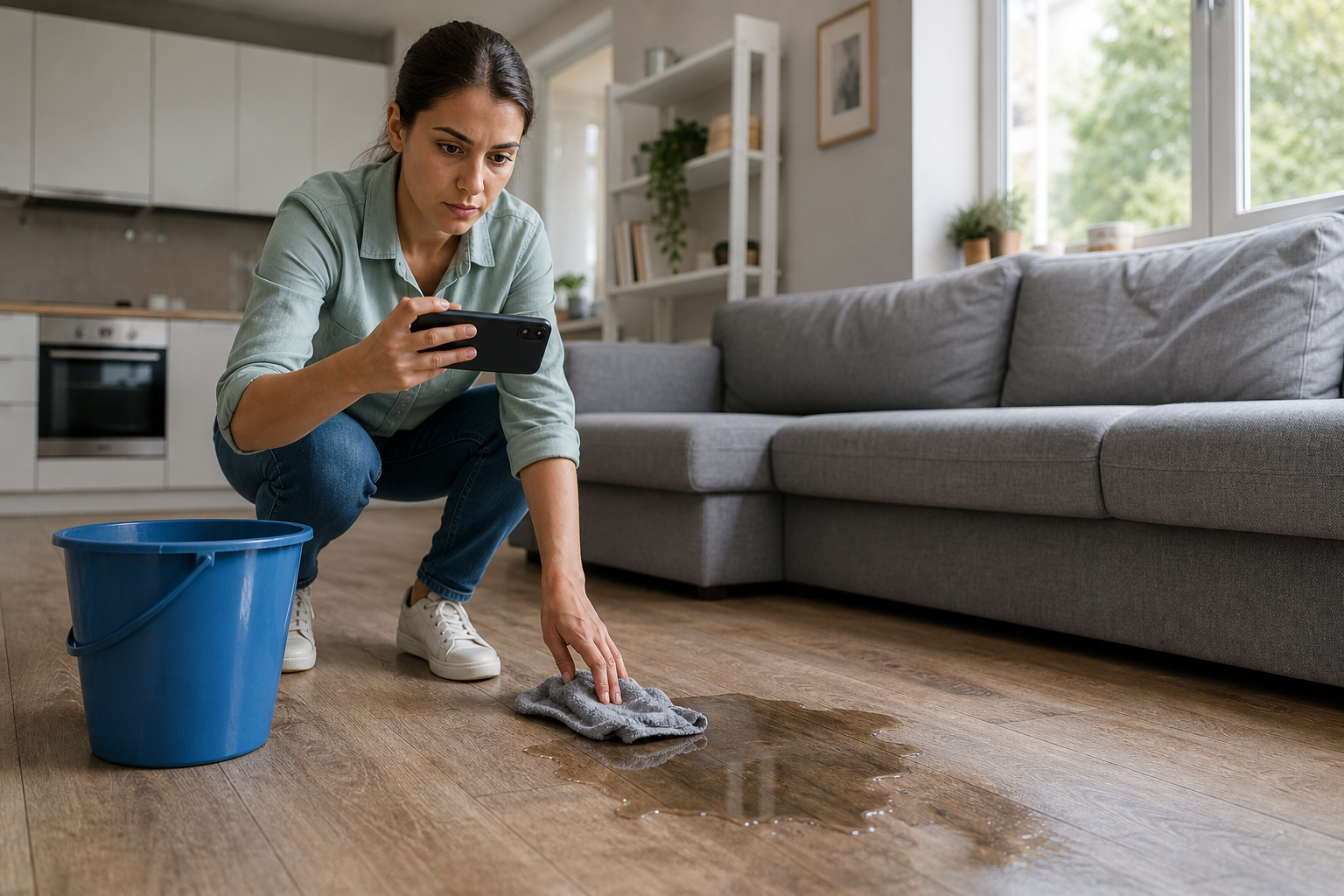
Good documentation speeds claims and strengthens quotes.
- Take timestamped photos and short videos of the damaged area or device from multiple angles, and include serial numbers and device screens that show error messages.
- Record the date and sequence of events, and note when you shut off power, unplug devices, or contacted services.
- Keep receipts for appliances, device purchases, accessories, and any emergency repairs or parts you buy.
- Obtain written reports or quotes from inspectors and restoration contractors. These documents should list findings, suggested remediation, and cost estimates for drying, repairs, and replacement.
- Contact your insurer as soon as possible and follow their claim instructions. Desjardins recommends prompt communication and careful records when dealing with water damage claims in Canada Desjardins.
If you disagree with an adjuster’s assessment you may request a second opinion or bring in a public adjuster, as described in Ontario claim guidance Wright Restorations.
Choosing a repair shop in Dundas: costs, data risk, turnaround and common objections
When selecting a local device repair shop, evaluate diagnostics transparency, parts quality, data handling, and turnaround estimates. Ask if the shop documents findings in writing and provides a detailed, itemized quote that you can use with insurance. PhonoRx advertises trained technicians, high-quality parts, and convenient online booking for diagnostics and repairs, and customer reviews consistently praise fast service and knowledgeable staff PhonoRx.
Decision checklist and what to ask before you drop off a device
- Do they offer a bench diagnostic and a written estimate that separates labour and parts?
- What are their protocols for data protection and data recovery?
- Do they use OEM or high-quality replacement parts, and is there a warranty on parts and labour?
- How long will diagnostics take and do they provide status updates during repair?
- Will they document findings in a report suitable for insurance?
Common objections include cost uncertainty and data loss risk. A clear diagnostic and an itemized report help you decide whether to repair, replace, or submit a claim. Reviews for local shops often cite same-day or very fast turnaround for common repairs, but always confirm current timelines with the shop when you book.
Next steps for Dundas-area residents: checklists and where to get help
Two short checklists to use right now.
Immediate homeowner and device steps
- Ensure safety first: shut off electricity to flooded areas and avoid standing water that may be electrified.
- Document damage with photos and notes, including time and action taken.
- Call your insurer to start a claim and follow their instructions for mitigation.
- For wet devices, follow the device checklist above and bring items to a repair shop for diagnostics.
What to bring to a device appointment
- The device and any removable media such as SD cards and SIMs.
- Original purchase receipt or serial number if available.
- Photos of the event, and any error messages you observed.
- Your insurer contact details if you plan to submit an insurance claim.
PhonoRx serves Dundas, Ancaster, Burlington, Hamilton, Waterdown, and nearby communities, and offers device diagnostics and online booking to make this process straightforward PhonoRx.
Frequently asked questions
Can a wet phone be saved after falling in water?
Often yes, especially if you power it off immediately, avoid charging it, and bring it promptly to a technician for cleaning and diagnostics. Success depends on water type, exposure time, and whether corrosion has started. A professional inspection determines salvageability and data recovery options.
How do I prove water damage for an insurance claim in Ontario?
Document with dated photos and videos, keep receipts, record the sequence of events, and obtain written estimates or reports from restoration contractors or inspectors. Contact your insurer quickly, and if needed request a second opinion or hire a public adjuster Desjardins, Wright Restorations.
Should I power on a wet laptop or phone to check if it works?
No. Powering on a wet device risks short circuits and permanent damage. Power off, remove power sources and removable media, and bring the device to a technician for a bench diagnostic.
How long does a device diagnostics check typically take at a local repair shop?
Diagnostic times vary by shop and device type. Many local shops, including PhonoRx, offer rapid diagnostics and fast turnaround for common repairs. Ask for an approximate timeframe when you book and request a written diagnostic report to use with any insurance claim PhonoRx.
What information should I bring when I book a water-damage diagnostics appointment?
Bring the device, photos of the event, serial numbers or receipts if available, and your insurer contact details if you intend to file a claim. Clear documentation helps the technician provide an accurate estimate and written report.
If you need a professional device assessment in Dundas, book a diagnostic with PhonoRx – Cell Phone Repair for trained technicians, quality parts, and transparent reporting PhonoRx – Cell Phone Repair.