
If your phone is cracked, failing to charge, or acting unpredictably, this checklist helps Dundas residents compare repair shops and make a confident choice. Use it when you call, visit, or book online. A nearby option is PhonoRx – Cell Phone Repair, 101 Osler Drive, Unit 132, Dundas, ON L9H 4H4. Phone: (289) 941-2017. Typical hours are Monday to Friday 10:00 to 19:00, Saturday 10:00 to 18:00, and Sunday 11:00 to 17:00. You can book online at the official website.
When to use this checklist
This decision checklist is for common consumer repairs including screen replacement, battery replacement, charging port cleaning, and software diagnostics. Use it before you hand over your device to reduce surprises and protect your data and wallet. The items below reflect accepted shop intake and workflow practices used by reputable repair shops and technicians.
Intake and documentation to insist on before you hand over your phone
What a reputable shop should record
At check-in, insist the shop documents the phone model, IMEI or serial number, visible damage, and current software status if accessible. A written condition record helps prevent disputes about preexisting damage and ensures the technician is working from the same baseline.
Ask for photos and a condition checklist
Request clear photos of the device from multiple angles and ask that the images be attached to your repair ticket. Many shops follow a technician handoff or intake checklist to capture these details and to record water damage indicators and any accessories you provide. See technician handoff recommendations for phone repair shops for more background on intake checklists and why they matter at SpudgerHQ.
Confirm power status and log customer instructions
Tell the shop whether your phone powers on and whether you can unlock it. If you cannot unlock the device, write and initial any instruction you give about attempts to access data. Ask the shop to include all customer instructions and the agreed repair scope on the job ticket.
Parts quality and warranty: what to ask and record
OEM, OEM-equivalent, or aftermarket parts
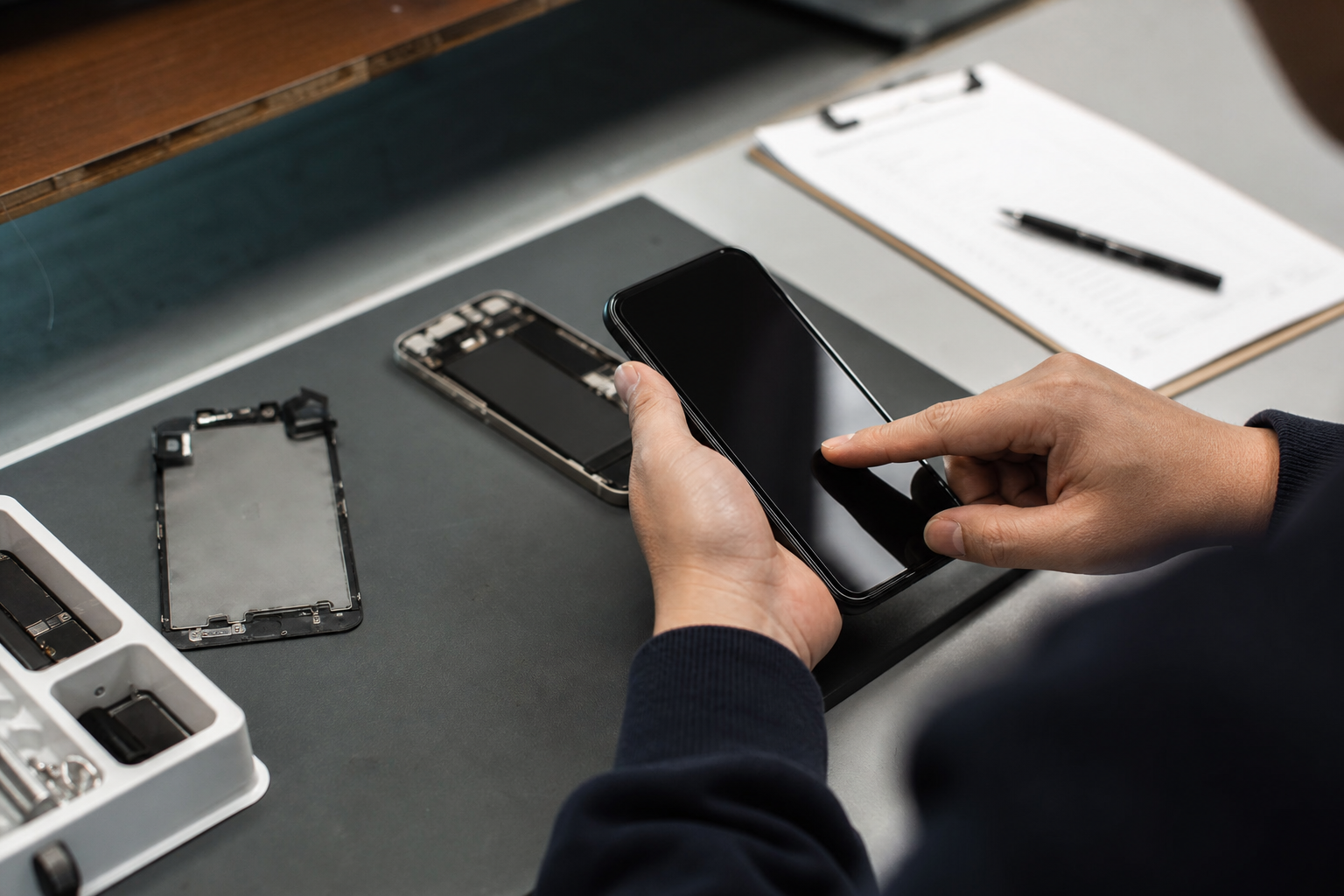
Ask whether replacements are original manufacturer parts, OEM-equivalent parts, or aftermarket components. Each type carries different expectations for fit and durability. Request the part brand and any available model numbers so you can keep that information with your invoice.
Get written warranty details
Insist on a written warranty for parts and labour. The warranty should state length, what it covers, and whether it is voided by water damage or third-party alterations. Keep the warranty slip and the invoice together in case follow-up service is required.
Traceability and quality assurance
If part traceability matters to you, ask whether the shop can provide batch numbers or supplier names. Reputable shops use consistent quality parts and will explain their parts policy without pressure.
Transparent written quote and billing clarity you should demand
What a clear quote must include
A written quote should list itemized parts, labour, expected taxes, and any service fees. It should also state whether the quote is an estimate subject to change if hidden damage is found. Shops that follow formal check-in to pickup workflows typically provide written quotes and require customer approval before proceeding with additional work. See a typical shop workflow at Fixitize.
Approval flow for extra work
Ask how the shop will contact you if technicians find additional damage that requires extra parts or labour. A clear approval flow avoids surprise charges and keeps you in control of decisions and costs.
Technician experience and shop workflow to verify
Who will do the repair and peer review practices
Ask who will perform the repair and how long that technician has worked on the device type you brought in. For high-value repairs, ask whether the shop does peer review or quality checkpoints before returning the device. Shops that publish a formal workflow from check-in to pickup are less likely to miss steps or misplace parts. You can review common shop workflow practices at Fixitize.
Use local reviews to confirm speed and professionalism
Check recent reviews to confirm that the shop solves similar problems and treats customers professionally. PhonoRx’s recent review themes include staff expertise, fast service, friendly interactions, fair pricing, and honest recommendations. Reviewing customer comments can also tell you whether named technicians are commonly praised for careful workmanship.
Data protection and backup: what to do before a repair

Back up your data first and verify the backup
Always back up your phone before repair and verify the backup opens on another device. If you cannot back up because the phone will not power on or unlock, tell the technician immediately and ask for written notes about any diagnostic steps that may affect data.
Ask how the shop handles data access
Ask whether the shop will attempt to access your data during diagnostics, how those attempts are logged, and whether staff will need to unlock the phone. Some diagnostic steps can reset or erase user data, so ask for written consent before the shop performs destructive testing. Technician handoff checklists recommend explicit logging of any data access or resets to protect both the customer and the shop. See SpudgerHQ’s intake checklist guidance at SpudgerHQ.
Paid diagnostics and data recovery options
If data recovery is required, ask whether the shop provides that service, how it is priced, and whether it is guaranteed. Shops often separate diagnostic fees from repair fees, so get those terms in writing before proceeding.
Booking, pickup logistics and payment options to confirm
Confirm booking and expected availability
Use online booking when available to record your appointment and reduce wait times. If you need a quick turnaround, ask whether the shop can fit you same day but do not assume a guarantee unless the shop explicitly confirms it for your booking. Start booking at the official website or call (289) 941-2017 to check current availability.
Pickup requirements and proof of ownership
Confirm what you need to bring at pickup. Shops commonly require a matching payment method or government ID and the repair ticket for security. If the device is registered to another name, bring proof of purchase or a recent bill to confirm ownership. Keep the repair ticket and warranty card until the warranty period expires.
Accepted payments and receipts
Ask what payment methods are accepted and request a detailed receipt that lists parts, labour, and warranty terms. A clear receipt is essential if you need to make a warranty claim later.
When to repair and when to consider replacing the phone
Decision points to weigh
Consider repair when the fault is a single, fixable component such as a cracked screen, worn battery, or faulty charging port. Consider replacement when multiple systems fail, parts are unobtainable, the device is no longer supported by current OS updates, or repair costs are comparable to replacement value. Request a documented quote before deciding so you can compare repair cost against replacement options.
Ask the shop to document the recommendation
If a technician recommends replacement, ask for a written explanation of why repair is not recommended and what failure modes were found. This documentation helps you evaluate trade-in value and resale options.
Next steps: what to ask in your call or online booking
Short phone script to use now
- “Hello, I need smartphone repair Dundas. Do you have availability today or tomorrow?”
- “What will you record at check-in and can I get photos attached to the ticket?”
- “What type of parts do you use and what is your written warranty?”
- “Do you charge a diagnostics fee and how will you contact me if you find additional problems?”
- “What ID do I need to bring for pickup and what are your accepted payment methods?”
Bring a copy of this checklist when you visit. If you are ready to book, use PhonoRx’s online booking page at the official website or call (289) 941-2017 to speak with staff about current availability.
Frequently asked questions
Do you offer online booking or same-day repair options?
PhonoRx provides online booking on its website. You can call to check same-day availability but do not assume a timing guarantee unless the shop confirms it for your specific booking. For online booking visit the official website.
What warranty covers replacement parts and labour?
Warranty terms vary by part and repair type. Ask the shop for written warranty details before work begins and keep the invoice and warranty slip. Reputable shops provide clear, written warranty coverage for both parts and labour.
Will you back up my data before performing repairs and what should I do first?
You should back up your phone before bringing it in whenever possible and verify that the backup opens on another device. If you cannot back up, tell the technician and request written consent for any diagnostic steps that may erase data. Technician handoff checklists recommend recording any data access explicitly at intake. For intake checklist guidance see SpudgerHQ.
How can I check whether a shop uses OEM parts or aftermarket alternatives?
Ask the technician directly for the part brand and model number and request that this information be printed on the invoice. Shops that use OEM-equivalent parts will usually say so and provide traceability on request.
What ID or proof of ownership do I need when I pick up my repaired phone?
Most shops require a matching credit card or government ID and the repair ticket. If the device is registered to another name, bring proof of purchase or a recent bill to confirm ownership. Confirm exact pickup requirements when you book.
For local service and online booking in Dundas, visit PhonoRx – Cell Phone Repair.
Next step: Book a repair online at the official website or call (289) 941-2017 to speak with staff about your smartphone repair in Dundas.