
When a phone screen cracks you face three practical options: short-term patching, a do-it-yourself replacement, or a professional repair. This article gives seven numbered, decision-ready tips that compare safe DIY actions with professional benefits and risks. Each item explains immediate triage, when to stop DIY, and what a local shop can provide. If you are in Dundas or nearby communities such as Ancaster, Burlington or Hamilton, these points will help you limit damage, protect data and choose the right repair route. For local booking and services, see PhonoRx at the official site.
1. Immediate triage: protect device and data
What you do in the first minutes matters. If glass is loose, touch input is erratic or liquid is visible, power the phone off and avoid charging it. Back up data immediately if the screen still responds, or connect to a computer to copy important files. Consumer Reports, WhistleOut and Asurion all recommend quick backups and careful triage to reduce the risk of permanent data loss or further hardware damage.
DIY: Back up to cloud storage or a computer, sign out of sensitive accounts where possible, remove the SIM if you prefer, and power down. These low-risk steps should always be done whether you plan DIY or professional repair.
Professional: A technician can diagnose hidden faults, attempt data recovery in a controlled environment and advise on whether it is safe to charge or use the device. If you feel unsure about handling backups or the phone shows signs of moisture, choose professional help.
2. Temporary fixes that limit further damage
Short-term patches can keep glass shards from falling out and reduce moisture entry until you commit to a repair. Practical, reversible measures include applying clear packing tape carefully across the display edge by edge, placing a thin tempered glass protector over the crack, and using a padded case to avoid pressure on damaged areas. Asurion and WhistleOut list similar temporary protections as useful stopgaps.
DIY: Apply tape or a temporary protector without trapping dust, and avoid pressing or sliding fingers across cracks. These measures are best when you need the phone briefly before professional service, but they may complicate later adhesive removal during a full replacement.
Professional: Technicians remove debris and install protectors or replacement glass without trapping particles. If you suspect internal damage or plan to keep the device long term, a pro’s cleanup will make later repairs easier and more reliable.
3. When DIY screen replacement makes sense
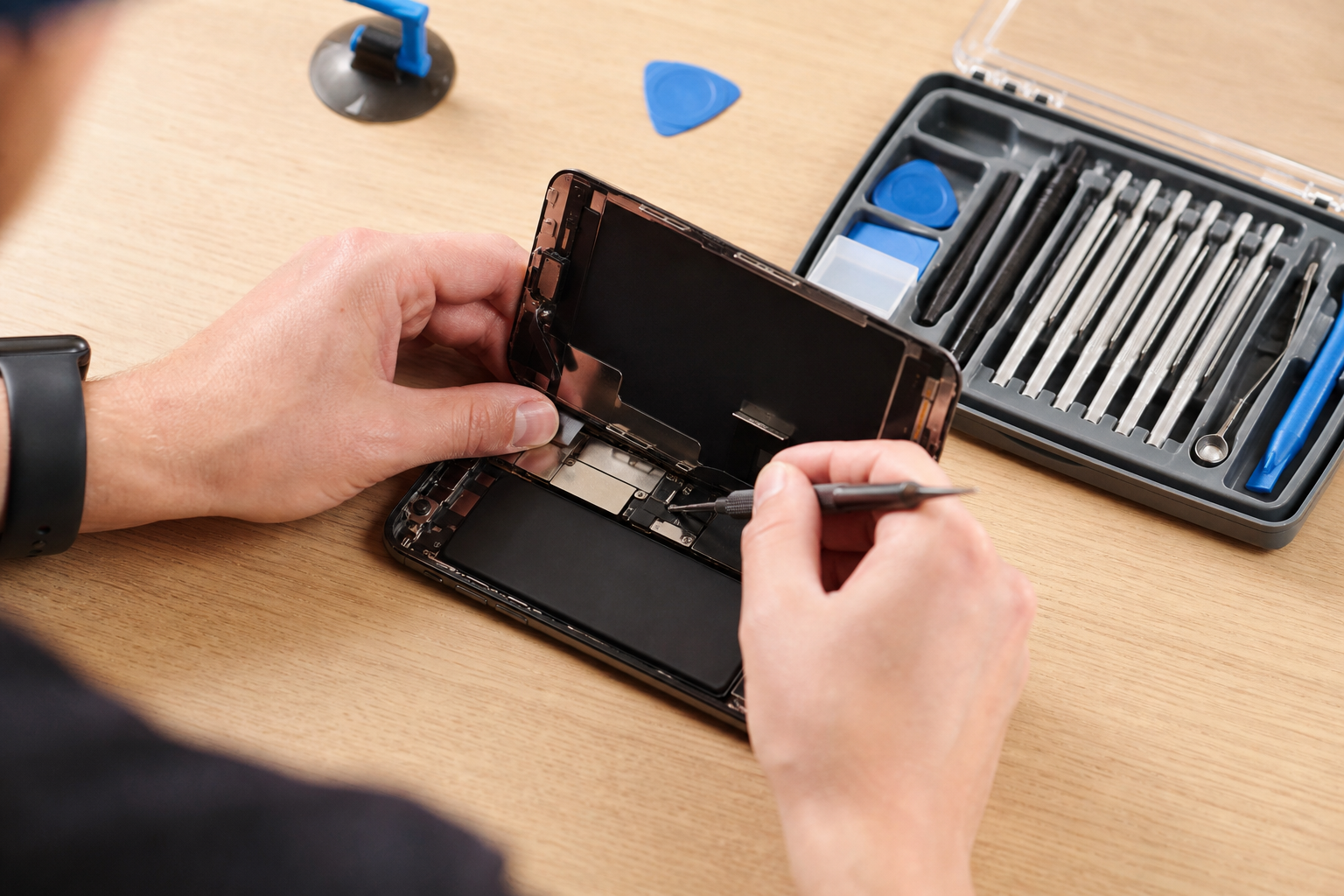
DIY replacement is reasonable only when three conditions are met: you have experience with delicate electronics, you can use the right tools and ESD protection, and you can source a high-quality, model-specific display. Phone Chek and Asurion explain that for experienced users a screen swap can be among the simpler repairs, but parts quality and correct procedures determine success.
DIY checklist: steady hands, precision screwdriver set, plastic pry tools, suction cups, an ESD strap or mat, a replacement screen verified for your exact model, a step-by-step guide or teardown video, and time to test components before final sealing. If you cannot secure authentic or good-quality parts, or you are unsure about delicate flex cables and sensors, do not proceed.
Professional: Shops supply tested parts, certified adhesives and diagnostic equipment to confirm touch, proximity sensors and display brightness. A professional repair reduces the risk of mismatched parts and improper reassembly.
4. Common DIY mistakes and essential precautions
Certain mistakes commonly sink DIY repairs. Phone Chek and Consumer Reports warn about prying fragile connectors, using incorrect adhesives, failing to guard against electrostatic discharge and reassembling before testing. Photograph each step, organise screws by size and location, and test the screen and sensors before applying final adhesive or pressure.
Precautions: use an ESD strap, label small parts, keep liquids away, apply controlled heat only when instructed to soften adhesive, and stop immediately if a connector resists or a flex cable tears. If you discover corrosion, moisture damage or internal glass separation, pause and consult a professional since further DIY attempts often raise repair costs.
Professional: Technicians use microscopes, thermal tools and spare parts that reduce the accidental damage DIYers commonly cause, and they have quality checkpoints before final handoff.
5. Professional repair benefits and when to choose it
Professional repair delivers several concrete advantages: verified replacement parts, advanced diagnostics that reveal hidden issues, a clean environment to avoid dust or moisture trapping, experienced technicians and written warranty options in many shops. Consumer Reports notes that repair shops can address problems home fixes miss, such as frame damage or sensor misalignment. WhistleOut and Asurion recommend professionals when water exposure or complex failures are present.
Choose professional service when: you see water intrusion, touch response fails after a drop, the screen separates from the frame, cameras or sensors malfunction, or the device is high value and you want a warranty. Paying a pro can cost more up front but often reduces the risk of repeated repairs and unexpected component damage.
Local note: PhonoRx highlights quick turnaround, high-quality parts and transparent pricing for Dundas-area customers and offers online booking to request a quote or appointment.
6. How to choose a local repair shop

Use a brief decision checklist when comparing shops: request a written quote that itemises parts and labour, confirm warranty period on parts and workmanship, ask whether parts are OEM or high-quality aftermarket, read recent reviews about speed and honesty, and verify booking and pickup policies. Consumer Reports suggests getting multiple estimates for non-routine repairs, and WhistleOut recommends confirming parts origin when prices differ widely.
Local signals to look for: clearly listed services such as iPhone repair and tablet repair, online appointment options, and customer feedback mentioning technician skill and friendly service. If quotes vary greatly, ask which parts are planned and whether repairs are tested before you leave. If a quote seems unusually low, confirm details to avoid surprise charges or substandard parts.
Tip: PhonoRx lists online booking, multi-device services and an emphasis on transparent pricing on the official site, which helps evaluate fit before you visit.
7. After repair: testing, care and what to bring
At pickup, test the device with the technician present. Check touch responsiveness across the whole display, camera focus and operation, proximity and ambient sensors, charging, speaker output and whether the screen sits flush with the frame. WhistleOut and Consumer Reports recommend these post-repair checks to ensure the repair solved the problem and introduced no new issues.
What to bring: proof of ownership if requested, confirmation that you backed up data, and your device password only if a technician needs access to verify functionality. You may prefer to remove the SIM card before drop off. Keep the receipt and warranty documentation for the repair.
Care after repair: use a tempered glass protector and a protective case, avoid heavy pressure for 24 to 48 hours if adhesives need time to set, and test functionality again after a day. If problems appear during the warranty window, return promptly and request a written recheck.
Book a local repair or get a quick quote
If you prefer professional help, prepare this information for an online booking or quote request: phone model and storage variant, a brief description of the damage, whether liquid exposure occurred and confirmation that you backed up your data. PhonoRx serves Dundas and nearby communities and offers online scheduling, multi-device services and a commitment to quality parts and transparent pricing; visit the official site to book or request a quote.
Frequently asked questions
- What immediate steps should I take when my phone screen cracks to avoid further damage or data loss?
- Turn the phone off if touch is erratic or glass is loose, back up accessible data immediately, apply a temporary protector or clear tape to stop glass shedding, and avoid charging if liquid is visible. Trusted sources including Consumer Reports, WhistleOut and Asurion recommend these first steps.
- Is it safe to replace a phone screen myself and when should I stop and see a professional?
- DIY can be safe if you have the right tools, ESD protection, a verified replacement part and experience with small electronics. Stop and contact a professional if you find corrosion, water damage, torn flex cables or if you cannot source a model-specific high-quality screen. Phone Chek and Asurion outline common DIY risks and precautions.
- How do I choose a trustworthy local repair shop in Dundas or Hamilton?
- Ask for a written quote, confirm parts origin and warranty, check recent reviews that mention speed and honesty, and use shops that list clear service categories and booking policies. PhonoRx offers online booking and highlights quality parts and transparent pricing on the official site.
- What should I bring to a repair appointment and how long will a typical screen repair take?
- Bring proof of ownership if requested, backup confirmation, and your device password only if a technician needs to test functions. Turnaround times vary by damage and parts availability; ask the shop for an estimate and warranty details when you book.
- Will a professional screen replacement affect my phone warranty or data?
- Independent repairs can affect manufacturer warranty terms depending on the device and parts used, and improper DIY repairs more often create warranty issues. Always back up data before any repair. Ask the shop about warranty implications and whether they use OEM or high-quality aftermarket parts.
Ready to book? For online scheduling or a quick quote, visit PhonoRx – Cell Phone Repair to select your device, share the damage details and choose a convenient appointment time.